First run
OpsPilot opens with nothing configured, nothing connected and nothing sent anywhere. This page describes what is in front of you after the first launch, and what to do with it.
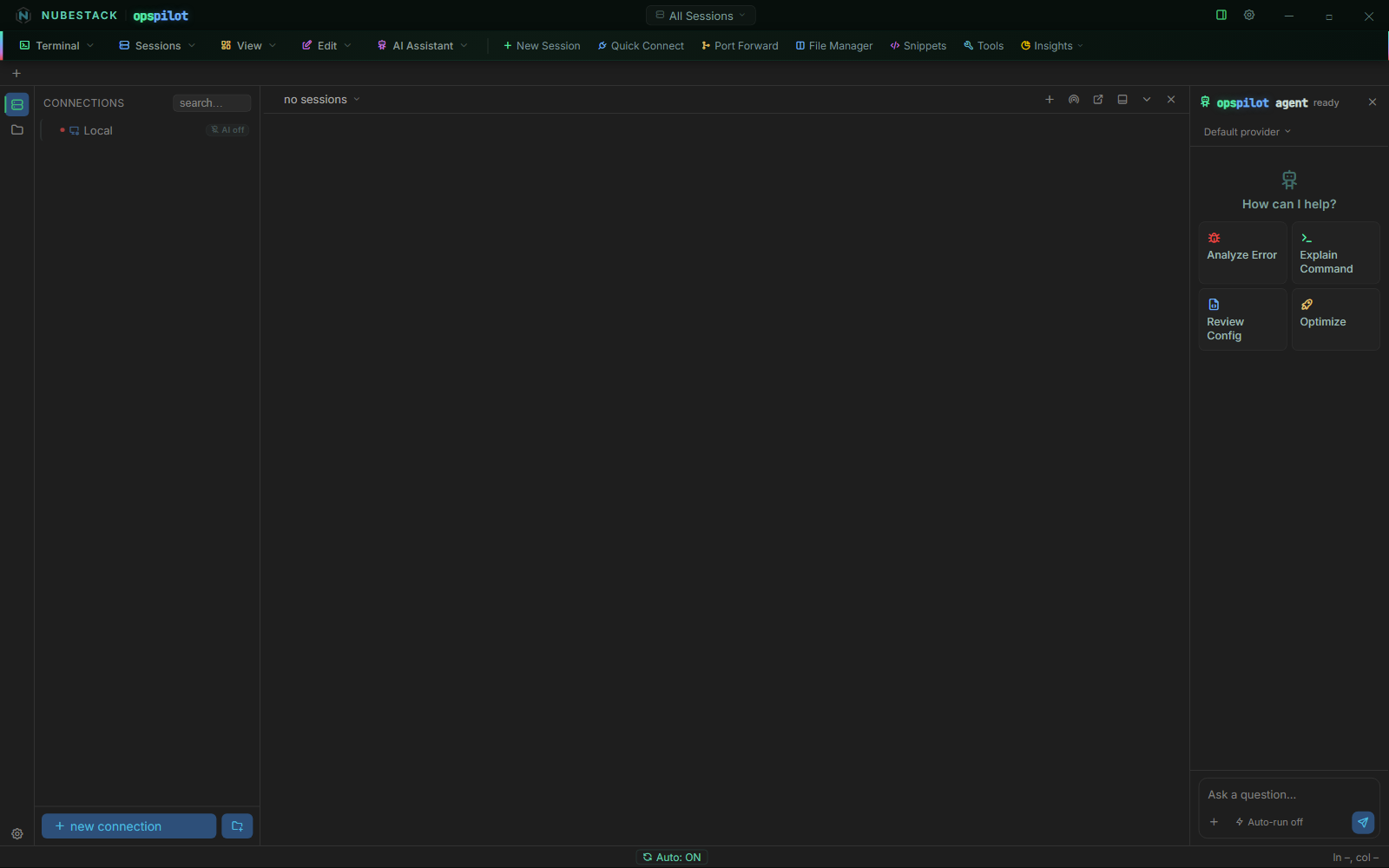
First launch. The only entry in the connections list is Local, and its badge reads AI off — the seeded Local connection ships that way. The AI panel on the right says ready, which means the panel is loaded, not that a model is configured.
What you are looking at
- An empty connections list. No sample hosts, no imported profiles, no discovery scan.
- A
Localentry. A shell on the machine you are sitting at, available without configuring anything. Use it to check that the terminal works, and for the local-side half of a task. It ships with its AI badge off. - The AI panel, in its ready state. It offers Analyze Error, Explain Command, Review Config and Optimize as starting points, and the composer shows an Auto-run off chip. No provider is selected because none is configured.
- No open sessions. The session tab bar is empty until you connect to something.
Nothing has been sent anywhere, because there is nowhere to send it to and no session to read from. There is also no account behind any of this — settings, connections and profiles are local files on this workstation.
What to do first
- Open a
Localsession. Double-click Local. You get a real shell in a real terminal, which confirms the install is sound. - Create your first real connection. Use + new connection at the foot of the list. See Add a connection, or follow Quickstart if you want the whole loop in one pass.
- Decide how the AI reaches you — a provider you supply credentials for, a local model, or an external assistant you already pay for. All three are covered in AI Providers and AI Assistants.
- Set your safety policy before you give the AI anything interesting to look at. Settings → Security → Command Safety is where auto-run and dangerous-command confirmation live.
AI access is scoped per connection
Configuring a provider does not make the AI able to see your sessions. Each connection carries its own Enable AI toggle, and a connection with it off is invisible to every model and every assistant — no scrollback, no host details, nothing.
Set the toggle deliberately on each connection you care about
The new-connection dialog does not open with Enable AI in the off state, so check it on every connection rather than relying on an inherited value. The seeded Local connection ships with AI off.
Rollout can therefore be incremental and reversible, provided you set the toggle actively. Turn AI off everywhere you are not ready to expose, enable it on a development host, watch how the loop behaves, and only then widen it. A connection you have confirmed as off never participates, whatever else you configure.
Before any AI is configured
OpsPilot is a complete terminal, file manager and remote-desktop client on its own. If you never configure a provider, that is what you have, and it sends nothing anywhere.
See also
- Quickstart — first connection to first AI answer in about five minutes
- Add a connection — every field in the connection dialog
- AI Providers — the providers that ship and how to configure one
- Approvals & auto-run — what happens when the AI proposes something