AI Assistants (MCP)
If you already pay for Claude, ChatGPT or GitHub Copilot, you do not need an API
key as well. OpsPilot exposes itself as an MCP (Model Context Protocol) server on
127.0.0.1, and assistants you already use connect to it and gain a narrow set
of tools.
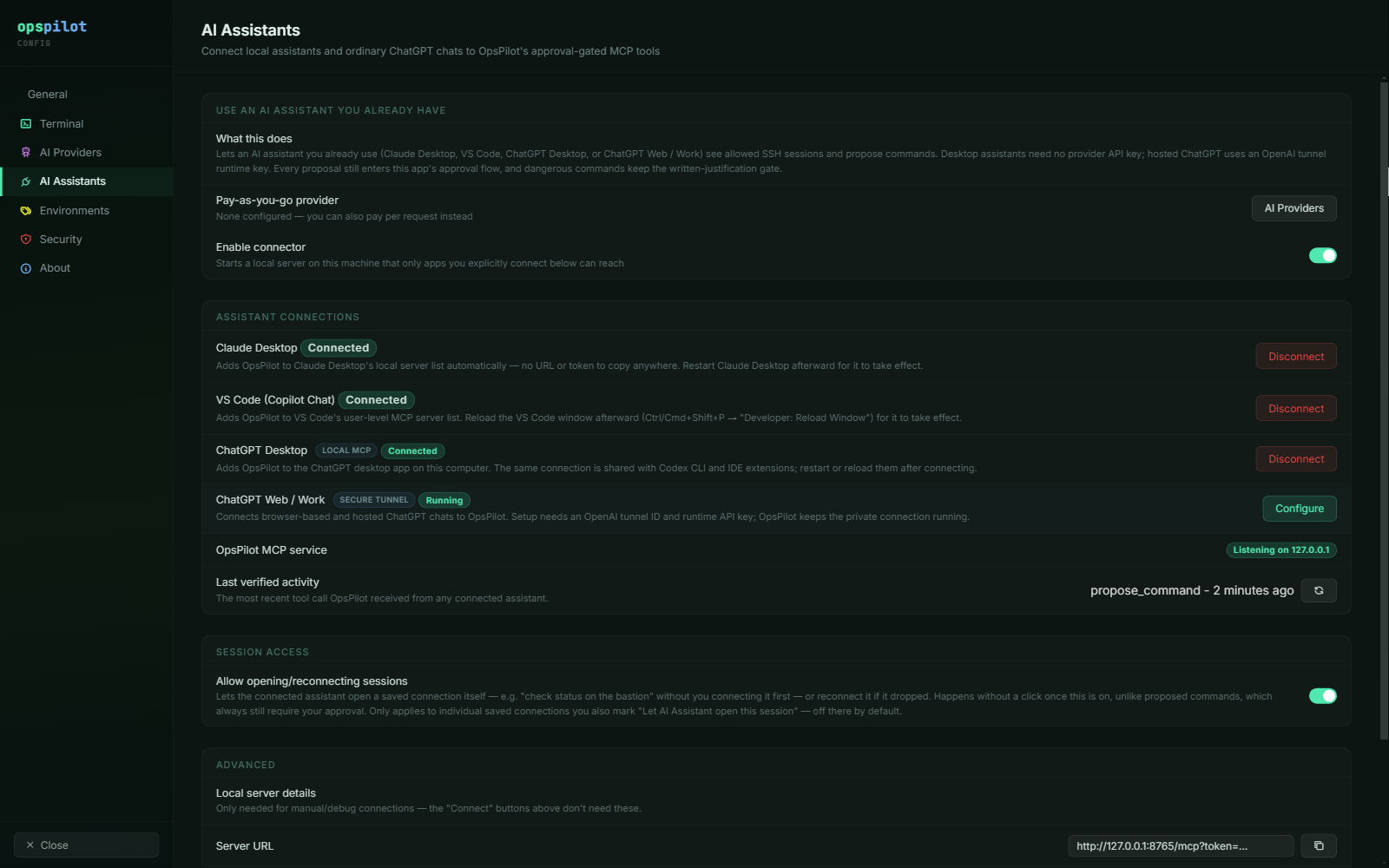
The AI Assistants page. The connector is off until you enable it, and each assistant is connected individually — nothing is reachable by default.
The four assistants
| Assistant | How it connects | Needs a provider API key? |
|---|---|---|
| Claude Desktop | One click, config written automatically | No |
| VS Code (Copilot Chat) | One click, user-level MCP config | No |
| ChatGPT Desktop | One click, shared with Codex CLI and IDE extensions | No |
| ChatGPT Web / Work | Secure tunnel, needs an OpenAI tunnel ID and runtime key | No |
Connecting one
- In Settings → AI Assistants, turn on Enable connector. This starts a local server that only the apps you explicitly connect can reach.
- Click Connect on the assistant you want.
- Restart the assistant.
For the desktop assistants, OpsPilot writes the configuration itself — there is no URL and no token to copy anywhere. It edits the assistant's own MCP configuration file in place and will not overwrite a file it cannot parse, so other MCP servers you already have configured survive.
Step 3 is required: these assistants read their MCP configuration at startup. Claude Desktop and the ChatGPT desktop app need a restart; VS Code needs a window reload.
ChatGPT Web / Work is the exception — a browser or phone cannot reach your loopback interface, so it uses a tunnel instead of a config file. That setup has its own page: Remote & mobile operation.
Last verified activity on the same page shows the most recent tool call OpsPilot received from any connected assistant, which is the quickest way to confirm a connection is actually live without leaving OpsPilot.
The six tools an assistant gets
| Tool | Access | Approval |
|---|---|---|
list_connections |
Saved connections you have allowed — and only when session access is on | None — read-only metadata |
list_sessions |
Currently open sessions | None |
open_session |
Opens or reconnects an allowed connection | None — pre-authorised per connection |
get_recent_output |
Terminal scrollback, redacted | None — read-only |
read_file |
A file over SFTP, redacted | None — read-only |
propose_command |
Proposes a shell command | Yes — blocks until you decide |
That is the entire surface:
- No tool writes a file.
read_filereads; there is no counterpart. - No tool executes anything directly.
propose_commandproposes. - No tool reads your credential store. Passwords and private keys are not reachable through any of the six.
propose_command blocks until you approve it, dismiss it, or it times out after
five minutes. To the assistant it is a call that waits for a human, and it is
told when the wait runs out. If the same session gets a newer proposal while an
older one is still waiting, the older one is superseded.
The tools also re-check permission at the point of use rather than trusting the
assistant's cached view: get_recent_output, read_file and propose_command
all refuse a session whose Enable AI has since been turned off, and
open_session re-checks the per-connection permission even for an id
list_connections handed out earlier.
The full input schema for each tool is in MCP tools.
Letting an assistant open sessions
Allow opening/reconnecting sessions lets an assistant connect a saved connection itself, so you can ask "check the status on the bastion" without connecting first. Once enabled it happens without a click, unlike a proposed command, which always still needs your approval.
It is therefore off by default and requires opting in twice:
| Control | Where | Default |
|---|---|---|
| Allow opening/reconnecting sessions | Settings → AI Assistants → Session access | Off |
| Let AI Assistant open this session | The connection dialog | Off |
Both have to be on for a given connection. With the master switch off,
list_connections and open_session both refuse and say so; with it on,
list_connections only ever returns connections you marked individually.
Opening a session and approving a command are separate decisions, with separate controls.
The safety model with an external assistant
Nothing about the safety model weakens when the AI is external. A command proposed by Claude Desktop:
- enters the same approval queue as OpsPilot's own panel uses
- carries the same risk tier, from the same Command Safety profile
- hits the same written-justification gate for High risk
- has its context and its output passed through the same redaction layer, using the same Data Handling profiles
The approval card shows a via Claude Desktop badge — taken from the connecting client's own self-reported identity — so the source of a proposal is never ambiguous.
The connector binds to 127.0.0.1 only. No public listener is opened, including
in the ChatGPT tunnel case. Binding to loopback stops other machines rather
than other local processes, so every request must also carry the bearer token
OpsPilot generated, and only the apps you connected have it.
The connector is off until you turn it on
It is a new local listener, so it ships disabled. Turning it off again stops the server and resolves anything still waiting on a human.
See also
- Remote & mobile operation — ChatGPT Web/Work over the secure tunnel
- MCP tools — each tool's parameters and returns
- Approvals & auto-run — what happens to a proposal once it reaches the queue
- What gets sent — one redaction policy for every AI path