What OpsPilot is
OpsPilot is a desktop operations workbench. It is a terminal, a file manager, a remote-desktop client and an AI assistant in one application, and it is built around a single idea:
The AI helps you operate your infrastructure. It never operates your infrastructure itself.
What you do with it
You connect to your servers, switches, storage and desktops the way you already do — SSH, Telnet, RSH, Mosh, RDP, VNC, FTP, AWS S3, serial or a local shell. OpsPilot follows the session alongside you. When you ask it a question, it reads the scrollback, removes the secrets locally, sends only the redacted text to the model you chose, and returns an explanation together with a proposed command.
That command does not run. It appears in front of you, labelled with a risk tier and showing the exact text you are about to execute. You decide.
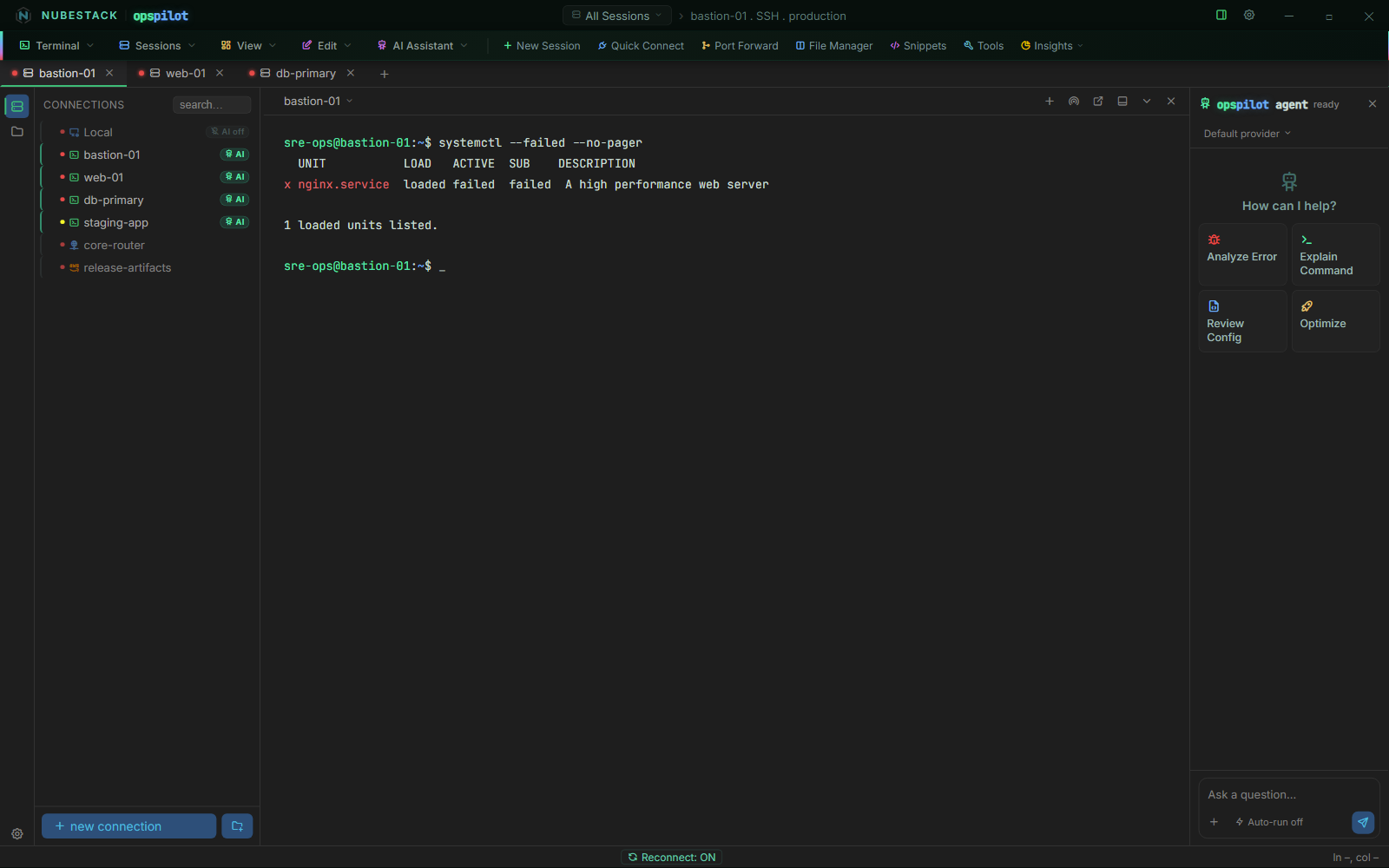
One window covers the whole job. The tree on the left is saved connections, grouped and colour-tagged by environment; the centre is the live session; the right-hand panel is the AI. A connection without the green AI badge is invisible to every model and every assistant.
How it differs from an AI coding tool
An AI coding or ops tool normally assumes two things: that the machine being worked on can reach the internet, and that the model should be given a shell. OpsPilot inverts both. Your servers can stay disconnected, because only your workstation needs to reach the model — and with a local model, not even that. The model is never given a shell: it can propose, and it cannot execute. Those two inversions are what let AI into regulated banking, defence, healthcare, industrial control and classified networks.
AI access is set per connection, by the Enable AI toggle in the connection dialog. Set it deliberately and check it before you connect: a connection with AI off is invisible to every model and every assistant.
What it does not do
OpsPilot installs nothing on the target hosts. There is no agent, no sidecar, no daemon, no runtime to deploy and no outbound firewall rule to request.
It has no cloud backend, no account system and no telemetry. Connections, groups, environments and profiles live in the application's own data directory on your workstation. Terminal scrollback is held in memory, and OpsPilot writes it to disk only through the explicit Save terminal output and Print terminal output actions.
Private or VPN-only is not the same as air-gapped
With a cloud provider your workstation still reaches the internet, which is private or VPN-only operation. A genuinely air-gapped deployment needs a local or self-hosted model, after which nothing leaves the machine.
See also
- Why OpsPilot — the capabilities, and the mechanism behind each one
- How it works — the eight steps from question to executed command
- Execution boundary & risk tiers — how a proposal becomes a command
- Quickstart — install and try the loop